
The editor keeps the page, its elements, and their properties in one workspace. Work visually, then inspect the actual PDF output before delivery.
Navigate the workspace
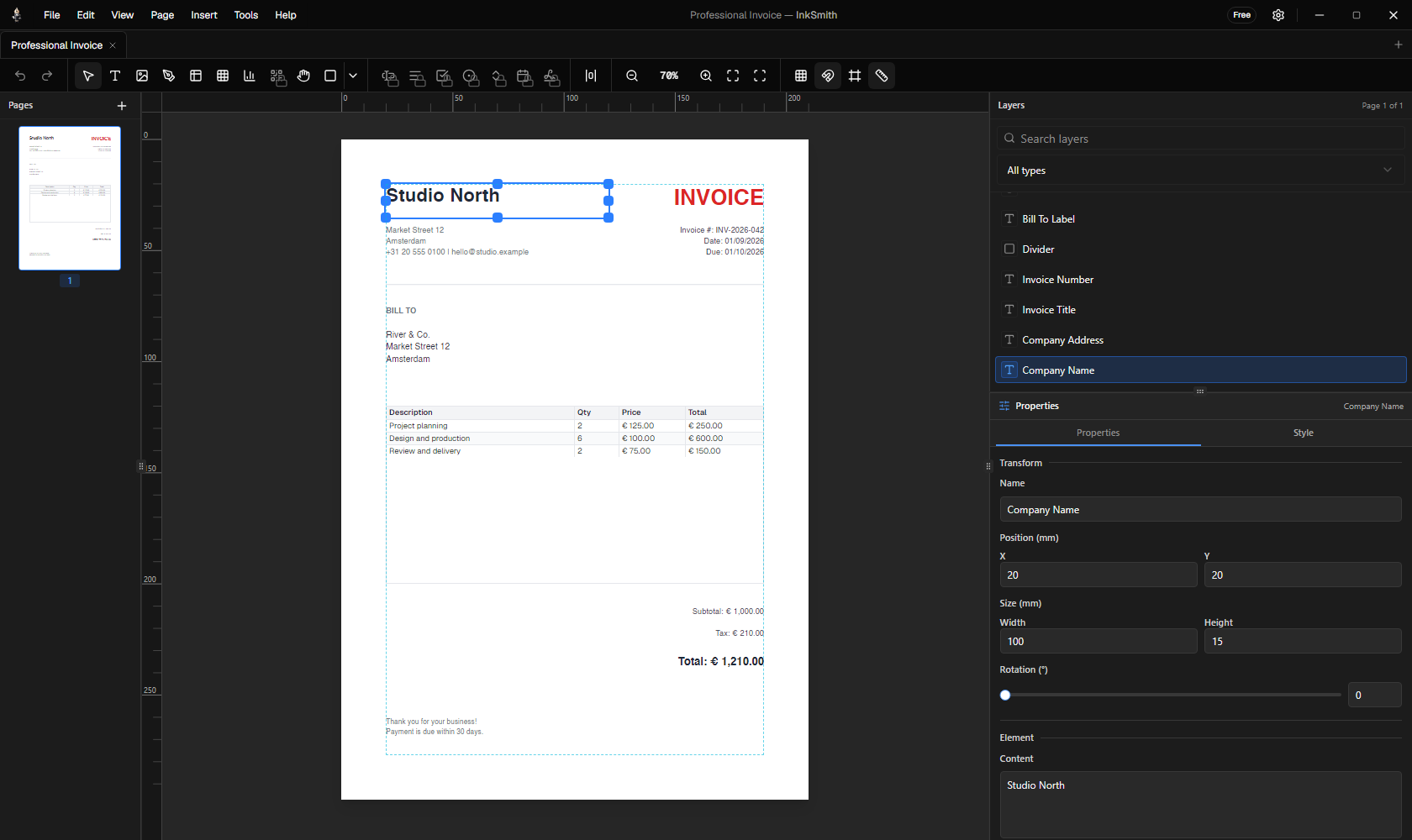
- Canvas: place and arrange objects on the page. Zoom in for detail or fit the page to the available area.
- Toolbar: choose selection, text, image, shape, table, chart, barcode, pen, or pan tools.
- Layers: select objects that overlap and change their stacking order.
- Properties: edit the selected object's content, position, size, color, typography, and other available settings.
- Pages: add and move between pages in a multi-page document.
Use grid snapping, page-edge snapping, rulers, and guides when alignment matters. Selection and layout changes support undo and redo.
Add and refine content
Select a text element to change its content and typography. For bold or italic within a single text element, double-click it, select the characters, then use the formatting controls or Ctrl+B / Ctrl+I (Cmd on macOS keyboards). The formatting is kept when the template is saved or rendered.
Add an image frame to position an image. Shapes, lines, tables, and charts can sit alongside text. When drawing a line, drag from its start to end; hold Shift to constrain it to 45-degree increments.
Work with multiple pages
Choose the page you want to edit before placing content. Use the navigator to inspect the page order and the preview to check how the finished document flows. A design that looks right on the canvas still deserves a PDF check, especially after changing fonts or data.
Useful shortcuts
| Action | Shortcut |
|---|---|
| New document | Ctrl+N |
| Open document | Ctrl+O |
| Save | Ctrl+S |
| Export PDF | Ctrl+E |
| Preview | Ctrl+P |
| Undo / redo | Ctrl+Z / Ctrl+Y |
On macOS keyboards, use Cmd where the app shows the corresponding command shortcut. The in-app Keyboard Shortcuts dialog lists additional selection and canvas actions.
Tip: Save a working design as a portable template before using it with different records.