
PDF is the finished format you can inspect, share, print, or archive. InkSmith also offers tools for bringing existing PDFs back into an editable document.
Preview before export
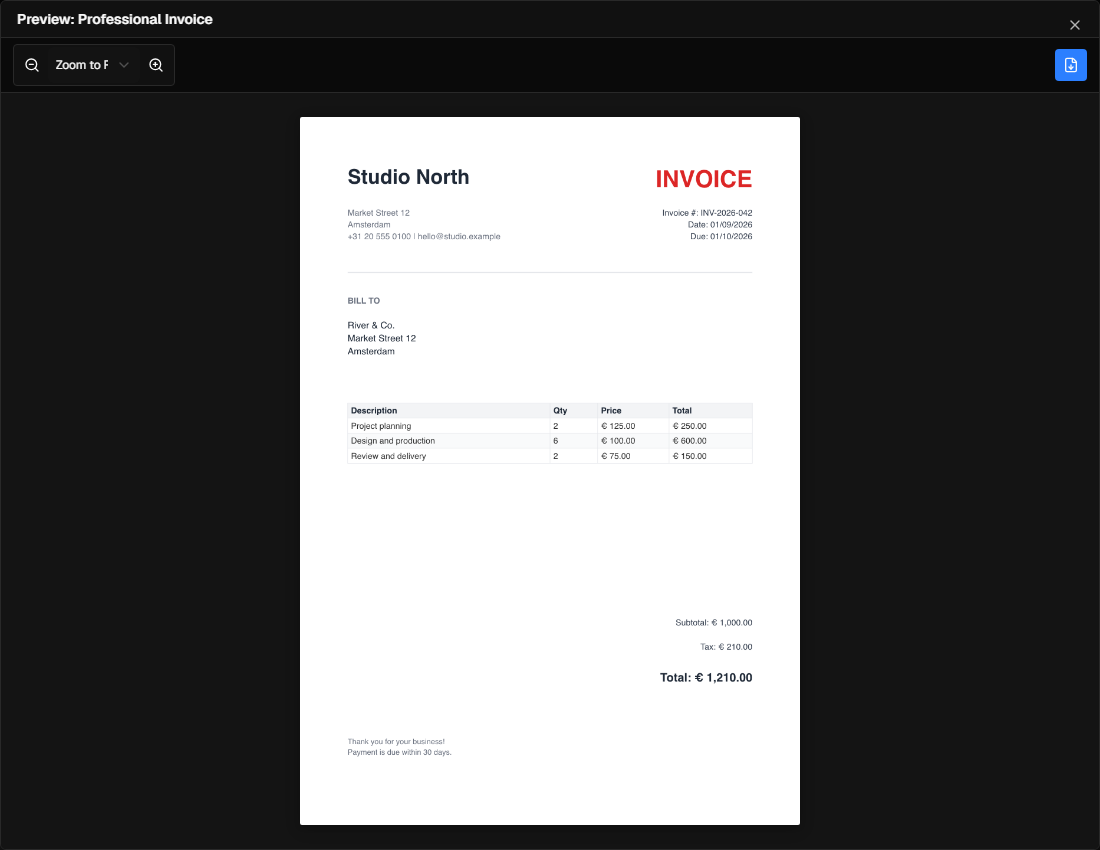
Use Preview to inspect pages at a useful size. Check text wrapping, placed images, page breaks, and any fields filled from data. Then choose Export PDF and select the output options your edition provides.
Free mode uses draft RGB output, exports at most two pages, and adds a small footer credit. Standard and Pro remove that limit and offer additional quality, compression, and CMYK controls. See editions.
Work with an existing PDF
PDF import is available in Standard and Pro. It extracts supported text, image, vector, and form content into an editable document. A PDF is a final-format file, so it does not always contain the original editing structure. Inspect the imported pages before you change or export them.
The import report lists extracted content, unsupported structures, warnings, and material that could not be preserved. You can reopen the last report from File → Last import report during the current app session. See Import existing documents.
Page operations and redaction
The PDF tools include page editing and text redaction in editions with PDF import. Redaction removes matching content rather than drawing a cover over it. Always review the resulting PDF to confirm that the intended information is gone and nearby content remains readable.
Print and share
Choose an output size and quality appropriate to the destination. A screen PDF and a commercial print job can need different settings. Keep the source .inks template so later corrections can be made without rebuilding the PDF.